An Acknowledgment Receipt is a written confirmation that money, goods, or documents have been received. It is one of the most practical and frequently used documents in everyday Philippine transactions — from acknowledging payment for services rendered and documenting item returns, to recording loan repayment installments and confirming document transmittal. A simple signed receipt is sufficient for routine transactions; a notarized version provides stronger evidentiary weight for higher-value dealings.
Legalia automates the drafting. This tutorial walks you through the complete process of generating an Acknowledgment Receipt online — from logging in to saving a print-ready PDF — in five steps.
Generate Your Acknowledgment Receipt — Free
No credit card required. Draft, preview, and print an Acknowledgment Receipt for payment, items, or documents — Philippine format, ready in minutes.
Generate Free with LegaliaWhat you need before you start
- A free Legalia account — sign up here
- The issuer's full name and address (the person giving/issuing the receipt)
- The recipient's/payor's full name and address
- The amount or description of items received
- The purpose or consideration (e.g., payment for services, loan repayment installment)
- The date of receipt and mode of payment (cash, check, bank transfer — if applicable)
Step 1: Log In and Open Your Dashboard
Sign in to your Legalia account at https://legalia.ph. After logging in you will land on the document library dashboard, which lists all available document types grouped by category — Affidavits, Contracts, Deeds, and more.
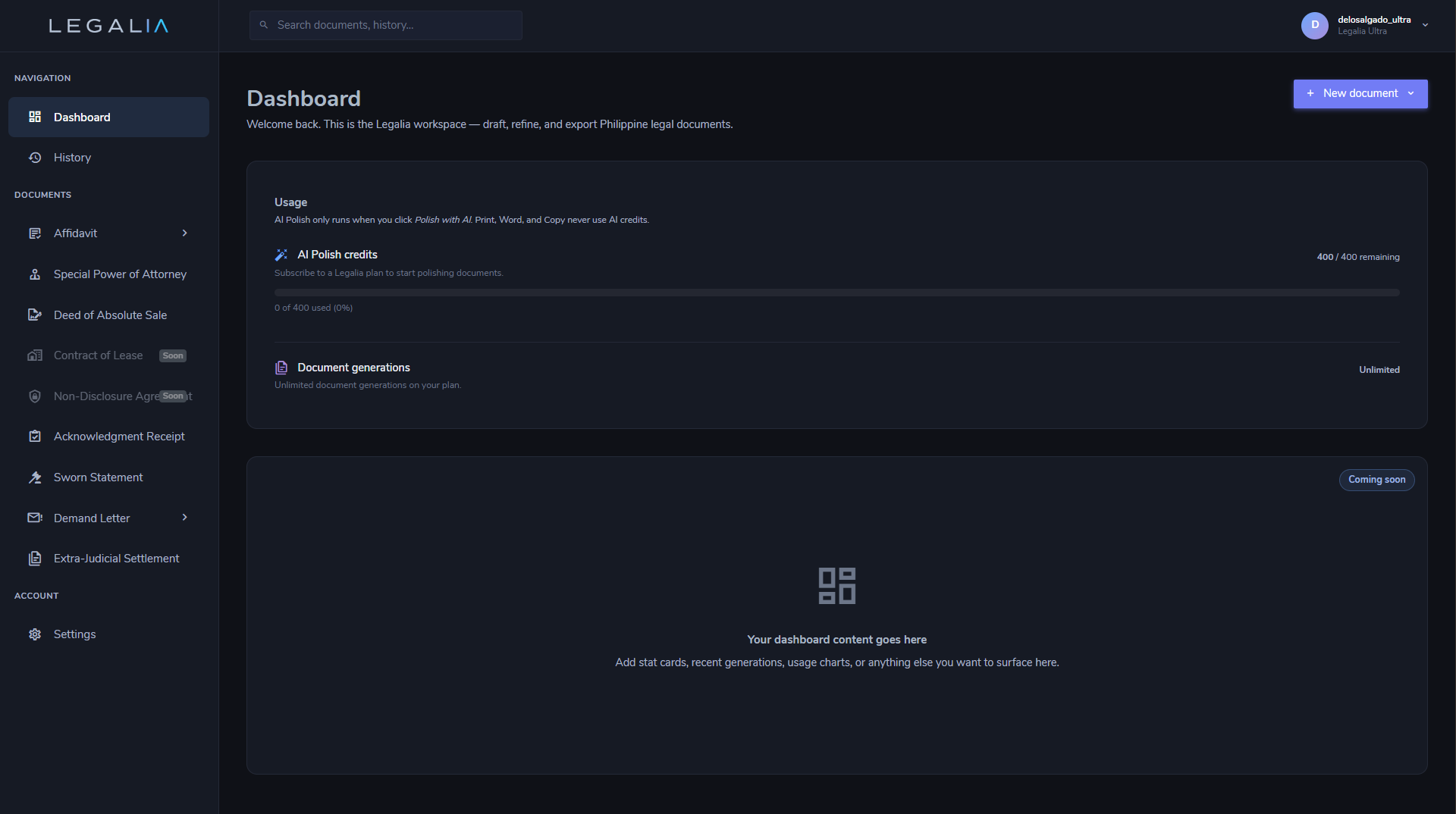
Step 2: Select Acknowledgment Receipt
Locate Acknowledgment Receipt in the document library. The document editor opens in a two-panel layout:
- Left panel — the guided form with all required and optional fields
- Right panel — the live document preview, updated in real time
Every change you make in the form is immediately reflected in the preview — you always see exactly what will print.
Step 3: Fill In the Form
Complete the fields on the left panel. The form is divided into three sections:
Issuer Information
| Field | Notes |
|---|---|
| Full Name | The person issuing the receipt — i.e., the one who received the money, goods, or documents |
| Address | Complete address of the issuer including barangay, city/municipality, and province |
Recipient / Payor Information
| Field | Notes |
|---|---|
| Full Name | The person who made the payment or delivered the items — the one who will hold this receipt as proof |
| Address | Complete address of the payor or deliverer |
Receipt Details
| Field | Notes |
|---|---|
| Amount or Item Received | For monetary receipts, state the amount in figures and words — e.g., "PHP 10,000.00 (Ten Thousand Pesos)." For item receipts, describe the items clearly. |
| Purpose / Consideration | Why the payment or delivery was made — e.g., "as full payment for professional services rendered," "as first installment on a personal loan" |
| Date of Receipt | The actual date the money, goods, or documents were received |
| Mode of Payment | Optional. Specify cash, check (include check number and bank), or bank transfer — helps create an audit trail |
Step 4: Review the Live Preview
The right panel shows the document exactly as it will print. Review the full text carefully — especially the names of both parties, the amount or items received, the purpose, the date, and the signature line.
An optional tool appears at the top of the preview panel:
- Polish with AI — rewrites the purpose and receipt description in clear, formal language while preserving all facts. Useful for ensuring precision in higher-value transaction records.
Step 5: Print or Save as PDF
When the document looks correct, click the Print button in the action bar. Your browser's print dialog opens.
- To print on paper: select your printer and click Print. Sign the printed receipt and give a copy to the payor.
- To save a PDF: change the Destination to Save as PDF. The output is a clean document with no UI chrome, headers, or footers — suitable for electronic records or sending by email.
For transactions requiring notarization, bring the printout to your commissioned notary public before signing.
That is the complete workflow — from opening the dashboard to a print-ready Acknowledgment Receipt.
Generate Your Acknowledgment Receipt — Free
No credit card required. Draft, preview, and print an Acknowledgment Receipt for payment, items, or documents — Philippine format, ready in minutes.
Generate Free with Legalia