An Affidavit of Guardianship is a sworn statement executed by a parent or legal guardian undertaking responsibility for a minor's welfare, travel, enrollment, or participation in legal proceedings. It is most commonly required by the Bureau of Immigration for minors traveling without both parents, by schools for enrollment of students under a guardian's care, and by courts or government agencies in proceedings that involve the minor's welfare.
Legalia automates the drafting. This tutorial walks you through the complete process of generating a notary-ready Affidavit of Guardianship online — from logging in to saving a print-ready PDF — in five steps.
Generate Your Affidavit of Guardianship — Paid Document
This document is a paid feature. Unlock it for a one-time ₱199 (30 days, no subscription), or get the All-Access pass for unlimited generation, PDF export, and AI-assisted drafting.
Unlock This Document — ₱199What you need before you start
- A paid Legalia plan — unlock this document or get All-Access
- The guardian's full name, civil status, address, and relationship to the minor
- The minor's full name, date of birth, and address
- The purpose of the affidavit: travel (with destination and dates), school enrollment, or other purpose
Step 1: Log In and Open Your Dashboard
Sign in to your Legalia account at https://legalia.ph. After logging in you will land on the document library dashboard, which lists all available document types grouped by category — Affidavits, Contracts, Deeds, and more.
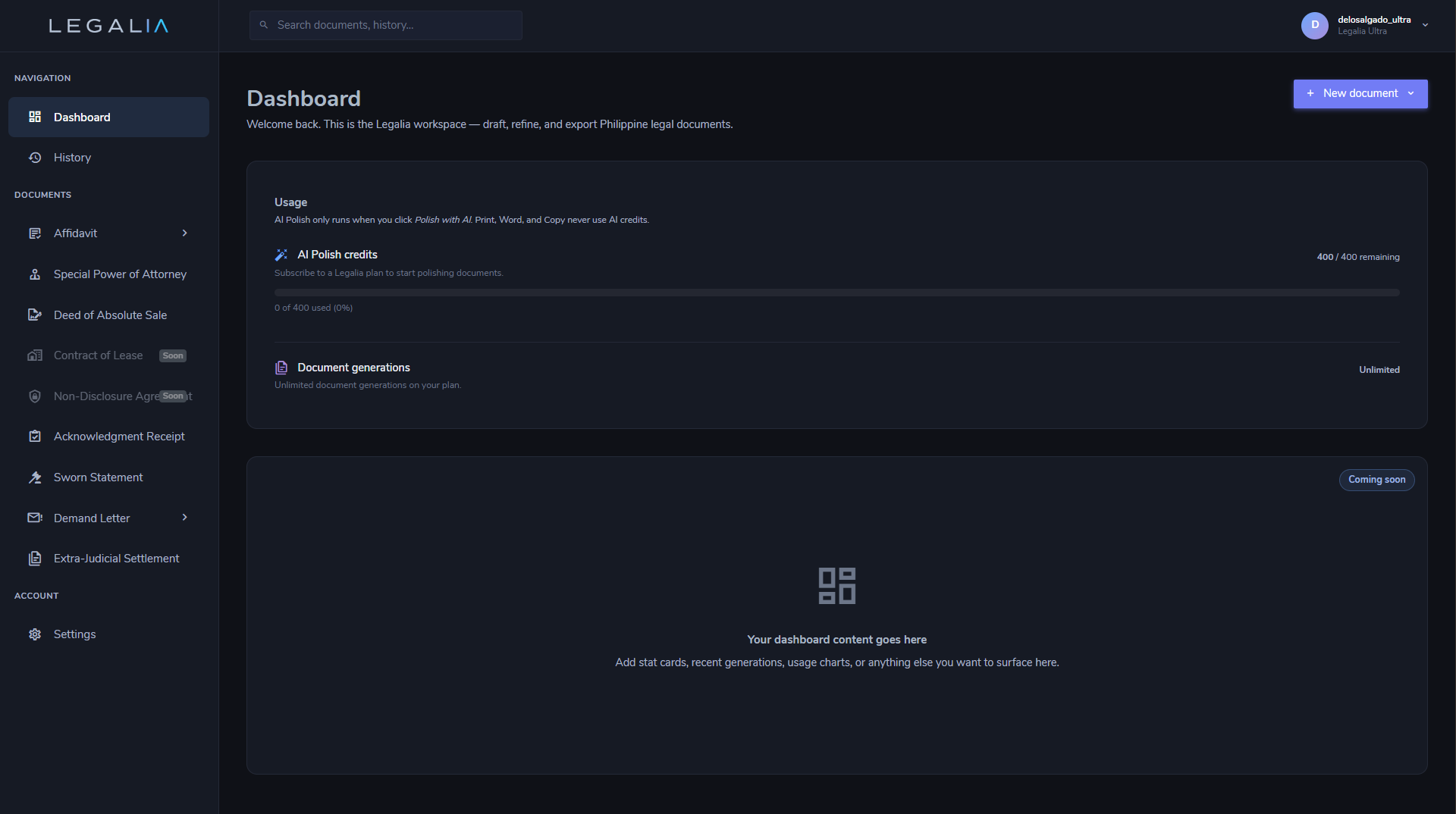
Step 2: Select Affidavit of Guardianship
Under the Affidavits category, click Affidavit of Guardianship. The document editor opens in a two-panel layout:
- Left panel — the guided form with all required and optional fields
- Right panel — the live document preview, updated in real time
Every change you make in the form is immediately reflected in the preview — you always see exactly what will print.
Step 3: Fill In the Form
Complete the fields on the left panel. The form is divided into three sections:
Guardian Information
| Field | Notes |
|---|---|
| Full Name | Exactly as it appears on a government-issued ID |
| Civil Status | Single / Married / Widowed / Legally Separated |
| Address | Complete residential address including barangay, city/municipality, and province |
| Relationship to Minor | Describe the relationship — e.g., "parent," "aunt," "grandparent," or "legal guardian" |
Minor's Information
| Field | Notes |
|---|---|
| Full Name | Minor's complete legal name |
| Date of Birth | Used to establish the minor's age at the time of execution |
| Address | Minor's current residential address |
Purpose
| Field | Notes |
|---|---|
| Purpose Type | Select Travel, School Enrollment, or Other — reveals relevant fields for the selected purpose |
| Destination | Travel only. Country and city of destination |
| Travel Dates | Travel only. Departure and return dates |
Step 4: Review the Live Preview
The right panel shows the document exactly as it will print. Review the full text carefully — especially the guardian's undertaking, the minor's details, the stated purpose, and the jurat block at the bottom.
Two optional tools appear at the top of the preview panel:
- Long / Short toggle — switches between an expanded narrative version and a concise version of the guardian undertaking. Use "Long" when the requesting institution prefers a more detailed sworn statement.
- Polish with AI — rewrites the purpose and undertaking paragraphs in formal legal Philippine English while preserving all facts. Useful when the information was provided in informal language.
Step 5: Print or Save as PDF
When the document looks correct, click the Print button in the action bar. Your browser's print dialog opens.
- To print on paper: select your printer and click Print.
- To save a PDF: change the Destination to Save as PDF. The output is a clean document with no UI chrome, headers, or footers — formatted for standard 8.5×11 or A4 paper with correct margins and line spacing for notarial use.
Bring the printout to your commissioned notary public for the guardian's oath and signature.
That is the complete workflow — from opening the dashboard to a notary-ready Affidavit of Guardianship.
Generate Your Affidavit of Guardianship — Paid Document
This document is a paid feature. Unlock it for a one-time ₱199 (30 days, no subscription), or get the All-Access pass for unlimited generation, PDF export, and AI-assisted drafting.
Unlock This Document — ₱199