An Affidavit of Loss is one of the most frequently requested documents in Philippine legal practice. Banks, government agencies, and courts require it before processing any replacement — whether it is a passbook, land title, government ID, or vehicle OR/CR. Writing one correctly means getting the jurat language, recitals, and optional clauses exactly right.
Legalia automates the drafting. This tutorial walks you through the full process of generating a notary-ready Affidavit of Loss online — from logging in to saving a print-ready PDF — in five steps.
Generate Your Affidavit of Loss — Free
No credit card required. Draft, preview, and print a notary-ready Affidavit of Loss for any lost document or item — Philippine format, correct jurat included.
Generate Free with LegaliaWhat you need before you start
- A free Legalia account — sign up here
- The affiant's full name, address, age, and civil status
- A specific description of the lost item (account number, ID number, plate number, etc.)
- The approximate date and place the item was discovered missing
Step 1: Log In and Open Your Dashboard
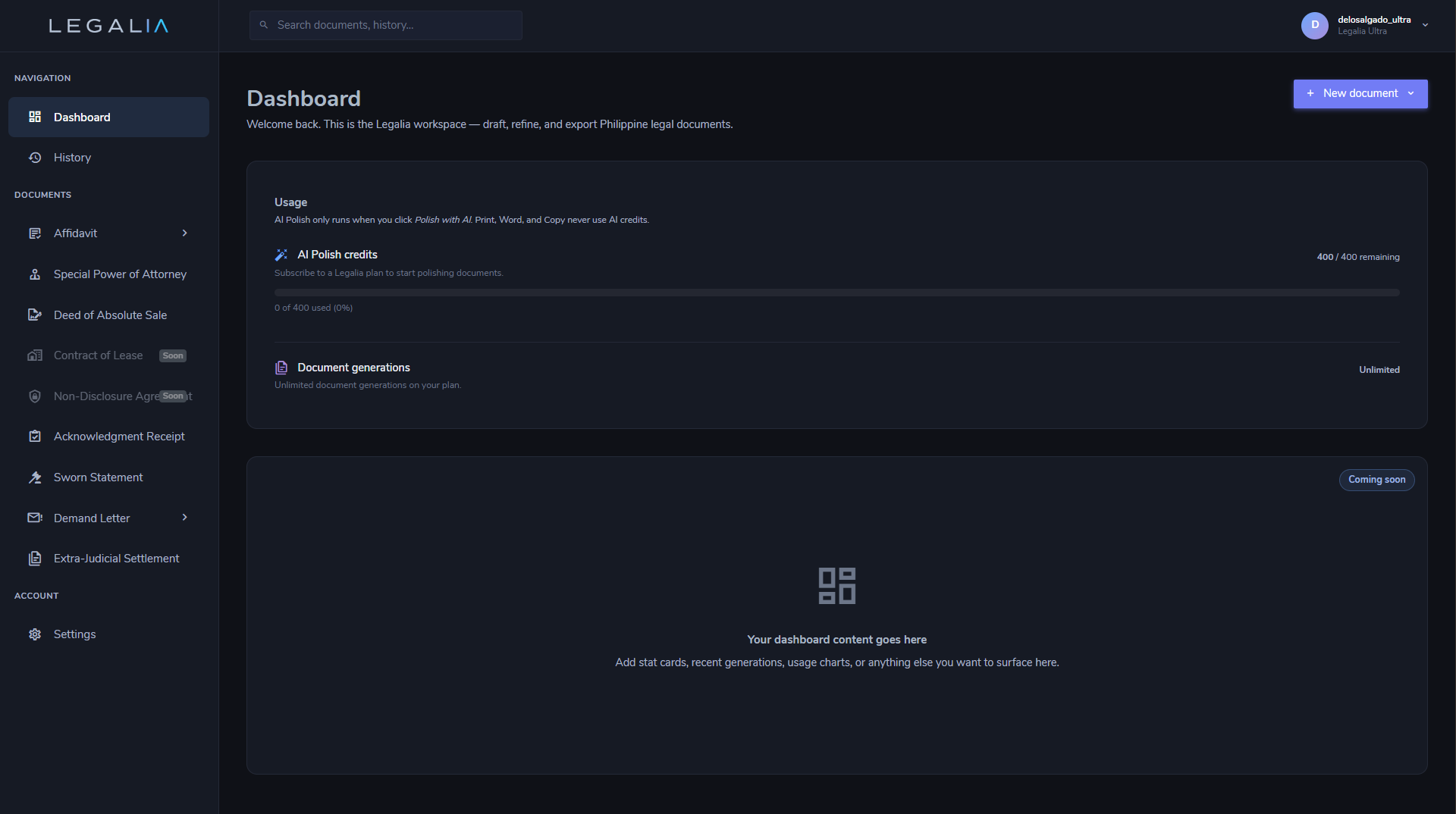
Sign in to your Legalia account at https://legalia.ph. After logging in you will land on the document library dashboard, which lists all available document types grouped by category — Affidavits, Contracts, Deeds, and more.
Step 2: Select Affidavit of Loss
Under the Affidavits category, click Affidavit of Loss (Form 6). The document editor opens in a two-panel layout:
- Left panel — the guided form with all required and optional fields
- Right panel — the live document preview, updated in real time
Every change you make in the form is immediately reflected in the preview — you always see exactly what will print.
Step 3: Fill In the Form
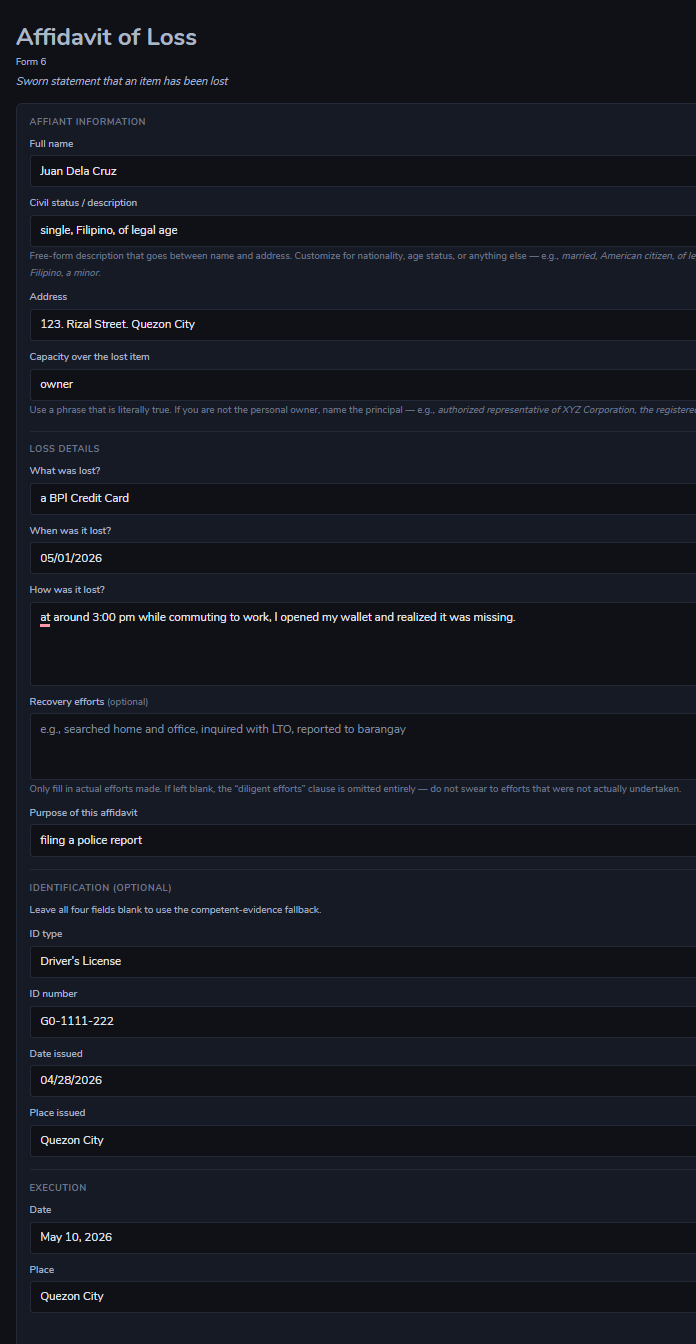
Complete the fields on the left panel. The form is divided into three sections:
Affiant Information
| Field | Notes |
|---|---|
| Full Name | Exactly as it appears on a government-issued ID |
| Age | Current age in years |
| Civil Status | Single / Married / Widowed / Legally Separated |
| Address | Complete residential address including barangay, city/municipality, and province |
Loss Details
| Field | Notes |
|---|---|
| Item Lost | Be specific — include account numbers, ID numbers, title numbers, or plate numbers where applicable |
| Date of Loss | An approximate date is acceptable (e.g., "on or about April 2026") |
| Place of Loss | Last known location of the item |
| Circumstances | How the loss occurred — misplaced, stolen, destroyed in a fire or flood |
| Recovery Efforts | Optional. Leave blank and Legalia omits the "diligent efforts" clause entirely |
| Purpose | Why the affidavit is needed — e.g., "to support a request for the issuance of a replacement" |
Identification (Optional)
If you complete the Identification section, all four fields must be filled in: ID type, ID number, issuing authority, and expiry date. If you leave it blank, Legalia automatically inserts the standard competent evidence of identity clause — the accepted fallback in most Philippine notarial practice.
Step 4: Review the Live Preview
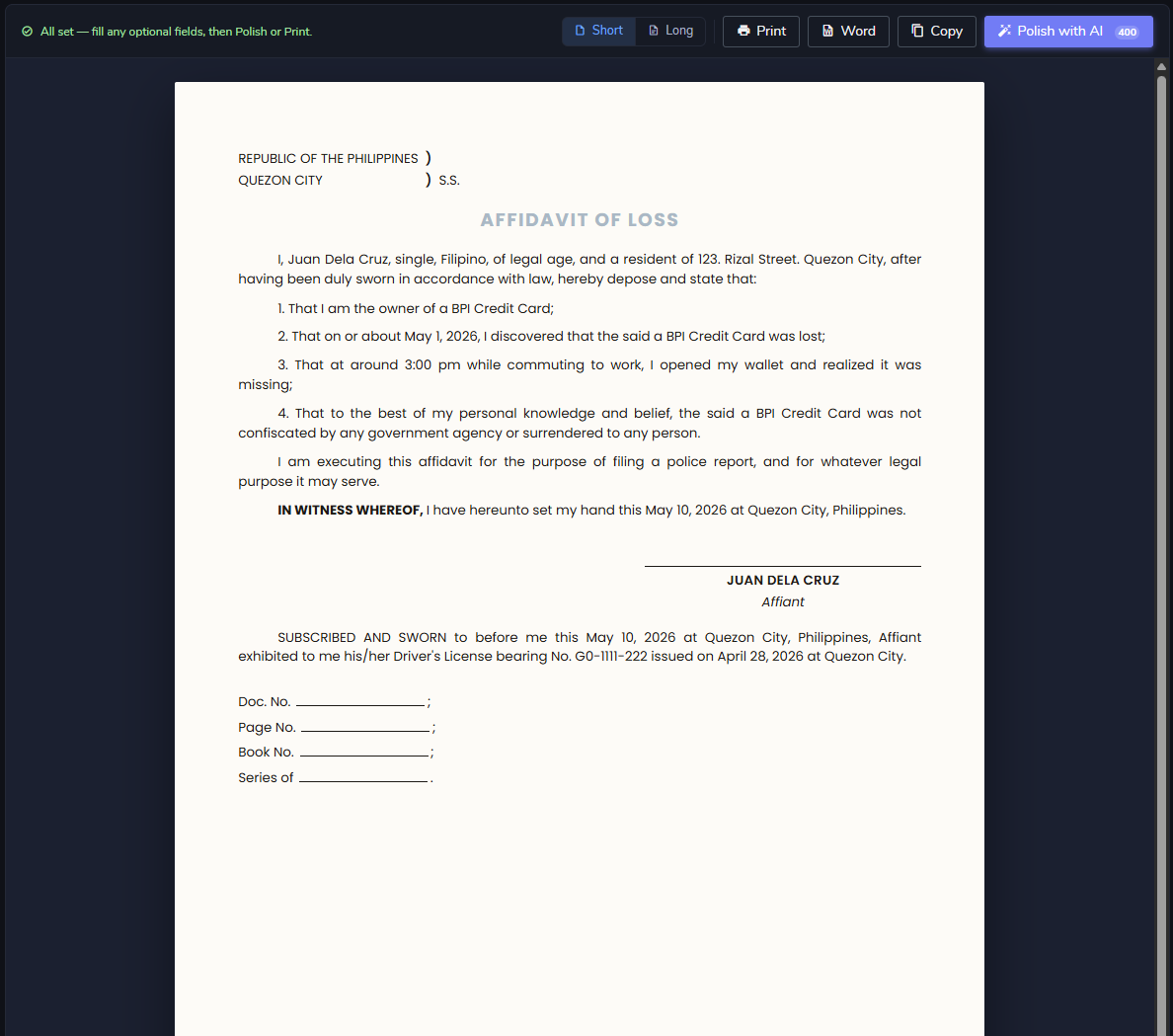
The right panel shows the document exactly as it will print. Review the full text carefully — especially the item description, dates, circumstances, and the jurat block at the bottom.
Two optional tools appear at the top of the preview panel:
- Short / Long toggle — switches between a concise recital and an expanded narrative version of the loss circumstances. Use "Long" when the institution requests a more detailed sworn statement.
- Polish with AI — rewrites the circumstances and recovery paragraphs in formal legal Philippine English while preserving all facts. Useful when the affiant described events in informal language.
Step 5: Print or Save as PDF
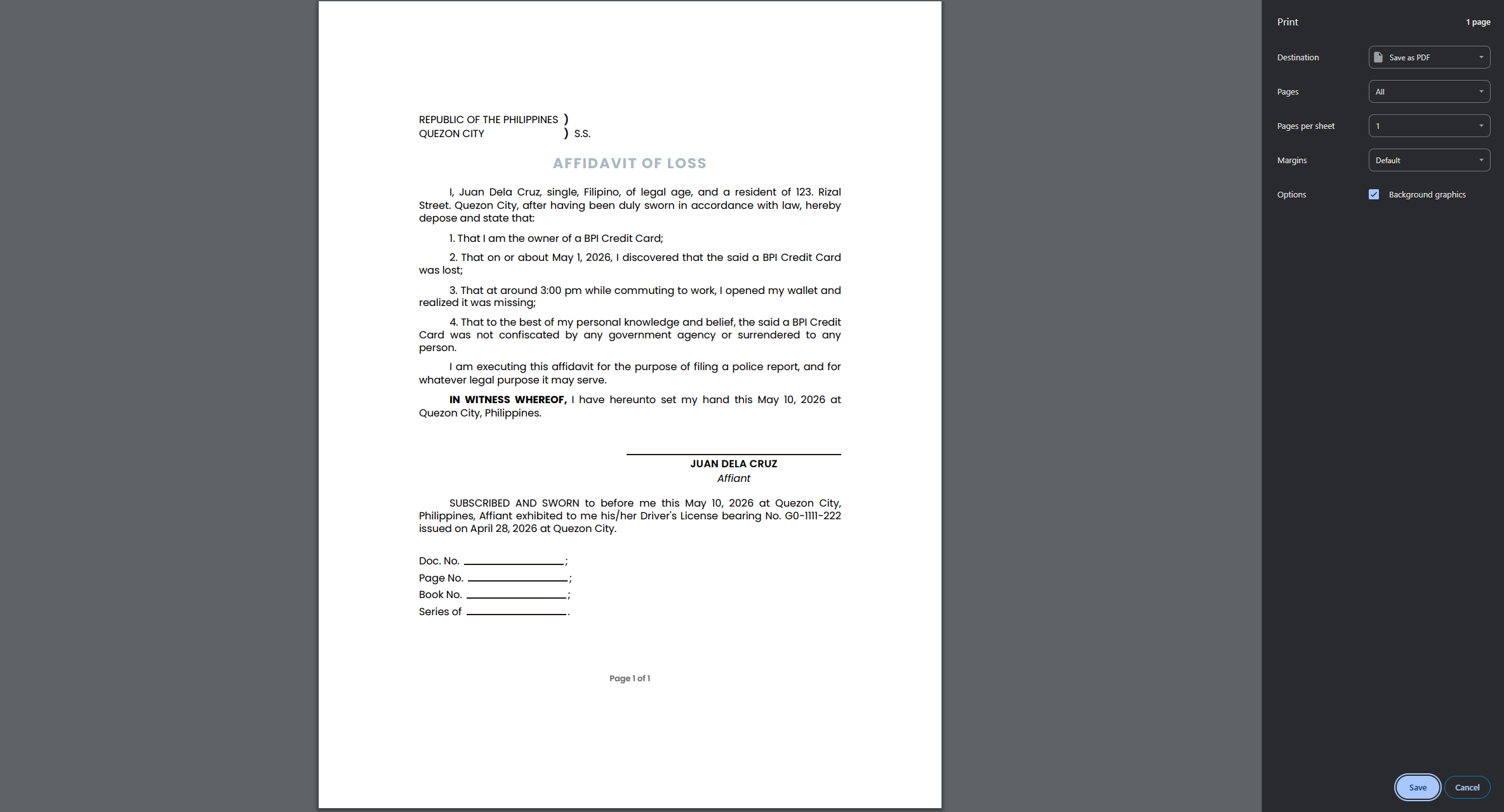
When the document looks correct, click the Print button in the action bar. Your browser's print dialog opens.
- To print on paper: select your printer and click Print.
- To save a PDF: change the Destination to Save as PDF. The output is a clean, single-page document with no UI chrome, headers, or footers — formatted for standard 8.5×11 or A4 paper with correct margins and line spacing for notarial use.
Bring the printout to your commissioned notary public for the affiant's oath and signature.
That is the complete workflow — from opening the dashboard to a notary-ready document in under 3 minutes.
Generate Your Affidavit of Loss — Free
No credit card required. Draft, preview, and print a notary-ready Affidavit of Loss for any lost document or item — Philippine format, correct jurat included.
Generate Free with LegaliaFrequently Asked Questions
Does Legalia replace the notary?
Is the format legally acceptable in the Philippines?
Can I use Legalia for any type of lost item?
What happens if I leave the Recovery Efforts field blank?
Do I need to fill in the Identification section?
Is Legalia free to use?
How long does it take to generate an Affidavit of Loss using Legalia?
Can I edit the document after generating it?
Video Tutorial
Prefer to watch? This short walkthrough covers the full process from login to PDF export.